
Limits
GIF size limits for Discord, GitHub, WhatsApp and email
Quick answer
Discord: 20 MB per file on a free account, 50 MB with Nitro Basic, 500 MB with Nitro; custom emoji 256 KB. GitHub: 10 MB for images and GIFs. WhatsApp: its video-to-GIF switch works on clips of 6 seconds or less. Email: most providers cap attachments around 25 MB. To fit a limit, trim seconds first, then crop, then lower the frame rate.
Every platform that plays GIFs puts a ceiling on them, and the error you get when you go over is rarely helpful.
This page collects the limits that matter most for GIFs made on a phone. Limits change, so each row says where it comes from and when it was checked.
The limits
Last reviewed October 2026:
| Platform | Limit | Source |
|---|---|---|
| Discord, free account | 20 MB per file | Raised from 10 MB in August 2026 |
| Discord Nitro Basic / Nitro | 50 MB / 500 MB per file | Discord plans |
| Discord custom emoji | 256 KB | Discord emoji upload rules |
| GitHub issues, PRs, comments | 10 MB for images and GIFs | GitHub Docs, Attaching files |
| WhatsApp video to GIF | Clip of 6 seconds or less | WhatsApp iPhone app |
| Email attachments | About 25 MB with most providers | Provider limits vary |
Platforms that convert GIFs to video (Telegram and others) may accept larger files but change how they play. Check the platform's help pages if you are close to a limit.
How to fit under a limit
Cut in this order, because it costs the least quality: seconds first, then crop, then frame rate, then the encoder. Halving the frame rate roughly halves the size; a square crop of a widescreen clip removes almost half of each frame.
Rules of thumb for size
A 3-second reaction at 12 FPS with a cropped frame usually lands in the low single-digit megabytes. A 10-second full-frame clip at 24 FPS can run into tens of megabytes. That is why the estimate before export matters more than any fixed recipe.
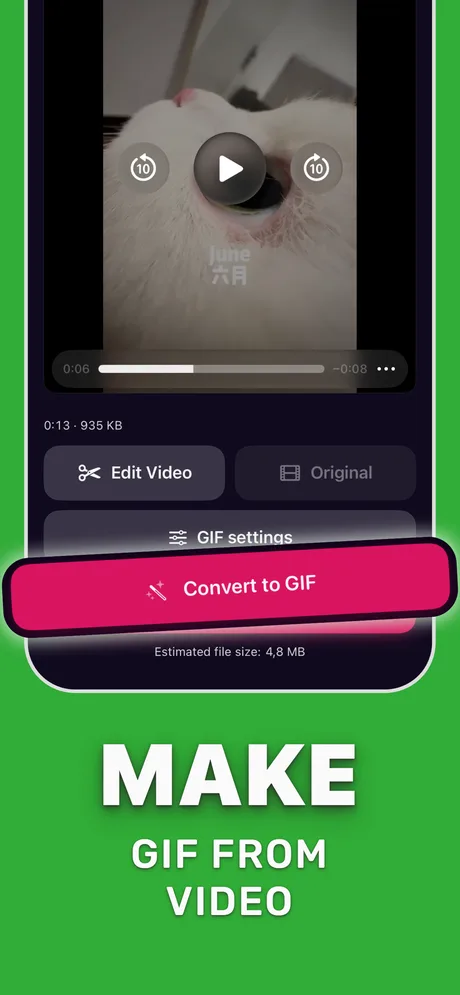
Fit a GIF under a limit in Make Video to GIF
Uses the estimated size as your target.
-
1
Note the target
For example 20 MB for Discord or 10 MB for GitHub.
-
2
Trim
Keep only the seconds that matter.
-
3
Crop
Pick an aspect preset around the subject.
-
4
Lower FPS if needed
Step the frame rate down until the estimate is under the target.
-
5
Convert and upload
Tap Convert to GIF and upload or share the file.
Do it in Make Video to GIF
Free on the App Store. Pick a clip, trim, tune, export.
Tips
- Leave some margin under a hard limit; estimates are estimates.
- For emoji-size limits, start from a tiny square crop and 1–2 seconds.
- Bookmark this page; limits change and we update the table.
Questions people also ask
What is the maximum GIF size on Discord?
20 MB per file on a free account, 50 MB with Nitro Basic and 500 MB with Nitro.
How big can a GIF be on GitHub?
10 MB for images and GIFs attached to issues, pull requests and comments.
How long can a GIF be on WhatsApp?
The built-in video-to-GIF switch works on clips of 6 seconds or less.
Only convert videos you have the right to share. Make Video to GIF is an independent app and is not affiliated with Apple, GIPHY, Discord or Slack.