File size
How to make a GIF smaller on iPhone
Quick answer
A GIF's size is roughly duration × frame rate × pixels per frame, so cut those first: trim to the 2–5 seconds that matter, crop to the part that moves, drop to 10–15 FPS, and choose the encoder mode that favours file size. In Make Video to GIF all four are in one place and the estimated size updates before you export, so you can stop as soon as the file fits.
GIF is an old format: every frame is a full picture with up to 256 colors, and there is no clever video compression between frames. That is why a 10-second phone clip can turn into a 30 MB GIF that Discord, email or a forum will refuse.
There is no single "compress" button that fixes this without side effects. What works is cutting the things a GIF stores: seconds, frames and pixels. This guide shows which cut buys the most and how to do it on iPhone.
What actually makes a GIF big
Three numbers multiply: how many seconds you keep, how many frames per second you store, and how many pixels each frame has. Halve any one of them and the file shrinks by roughly half; halve the width and height together and each frame has a quarter of the pixels.
Busy footage also costs more than calm footage. Grain, camera shake, leaves and water change every pixel between frames, while a screen recording or a talking head on a plain wall compresses well.
The settings, ranked by how much they save
Work down this list and re-check the size after each step:
| Setting | Typical saving | Side effect |
|---|---|---|
| Trim to fewer seconds | Proportional: 6 s → 3 s is about half | None, if you keep the moment that matters |
| Crop to the moving part | Large: a square crop of a 16:9 clip drops about 44% of the pixels | Loses context around the subject |
| Lower the frame rate | Proportional: 24 → 12 FPS is about half | Fast motion looks choppier |
| Encoder mode for size | Moderate | Gradients and skin tones band a little more |
Savings are approximate; noisy footage compresses worse than these figures, clean screen recordings better.
Size targets for common places
Aim for the limit of the place the GIF is going, not for the smallest possible file. Discord's free upload limit is 20 MB, GitHub accepts images and GIFs up to 10 MB, and most email providers cap attachments around 25 MB. For chats on mobile data, a GIF under 3–5 MB loads before anyone loses interest.
Step by step: shrink a GIF in Make Video to GIF
Start from the original video, not from an existing GIF: re-encoding a GIF loses quality every time.
-
1
Open the video
Pick the source video in Make Video to GIF, or share it from Photos into the app.
-
2
Trim hard
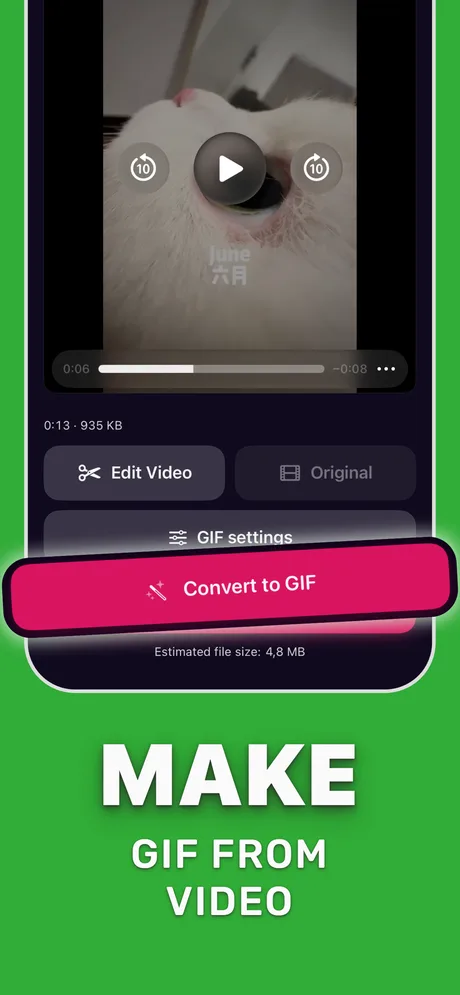
Tap Edit Video and keep only the seconds that carry the moment. Most reactions work in 2–4 seconds.
-
3
Crop
Choose an aspect preset that frames just the subject, for example a square for a face or a reaction.
-
4
Lower the frame rate
In GIF settings, try 12 FPS. Go lower for talking heads and screen recordings, higher only for fast action.
-
5
Pick the encoder and check the size
Choose the encoder mode that favours file size, watch the estimate, then tap Convert to GIF.
Do it in Make Video to GIF
Free on the App Store. Pick a clip, trim, tune, export.
Tips
- Change one setting at a time and watch the estimate, so you know which trade-off you are making.
- If the GIF must be tiny (an emoji, a signature), crop to a small square and keep it under 2 seconds.
- A loop that ends where it started looks longer than it is, so you can trim more aggressively.
Questions people also ask
Can I compress a GIF I already have?
You can, but every re-encode of a GIF loses detail. If you still have the original video, make a new GIF from it with tighter settings instead.
Does lowering the quality make a GIF smaller?
Only a little. Seconds, frame rate and pixel count matter far more than the encoder setting.
Why is my 3-second GIF still huge?
Probably full resolution and a high frame rate on busy footage. Crop the frame and drop to 10–12 FPS before anything else.
Only convert videos you have the right to share. Make Video to GIF is an independent app and is not affiliated with Apple, GIPHY, Discord or Slack.